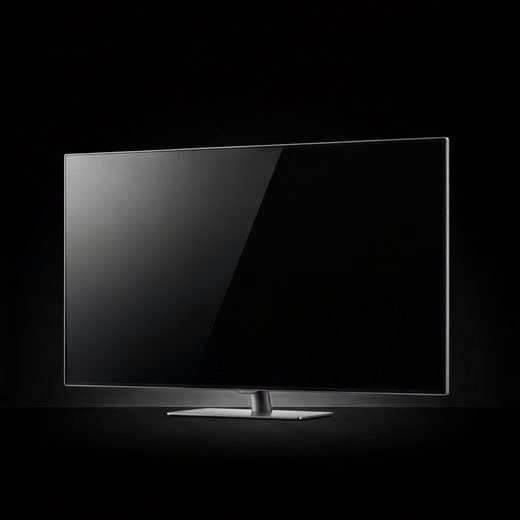
A TV takes its own slot in a vverh subscription. It isn’t part of the base plan and costs 19 ₽ a month. You can add the slot right from the “connect” tab once you pick a TV.
Android TV and Google TV
This works for TVs running Android TV or Google TV and for Android set-top boxes.
- Install Happ on the TV from Google Play.
- Get a link for the TV. In the vverh app on your phone: “connect” → Android TV → Happ → “get a link for TV”. The TV gets its own slot and its own link.
- Open Happ on the TV. It shows a short code.
- On your phone, open tv.happ.su, enter the code from the TV screen and paste the link. The subscription lands on the TV by itself.
- Pick a server with the remote and connect.
If Happ doesn’t suit you, the steps also offer FlClashX as an APK installer. Open “Profiles”, press + and “from URL”, paste the link, select the vverh profile and connect. To make typing easier, pair a Bluetooth keyboard or mouse with the TV.
Apple TV
You have two options:
- Happ for TV from the App Store. It connects the same way, with a code and tv.happ.su.
- Shadowrocket, if you’ve already bought it on iPhone: it’s the same purchase. Press +, choose the Subscribe type and paste the link from your iPhone keyboard, Apple TV offers phone input on its own.
Samsung and LG
Tizen and webOS don’t have apps that can use this kind of subscription. There are two ways around it:
- An Android TV box. It plugs into the TV over HDMI, and the VPN goes on it with the steps above.
- A VPN on your router. Then your whole home network goes through the VPN. Steps for Keenetic and OpenWrt routers are in the app: “connect” → “Router”.
questions
the picture stutters
High-quality video needs a solid connection. Put the TV on 5 GHz Wi‑Fi or a cable and try another server. Other causes are covered in why a VPN is slow.
how many TVs can I add?
As many as you need, each with its own 19 ₽ a month slot. A set-top box counts as a TV.
See for yourself on your own TV: the first 3 days are free, and you can add or remove the TV slot at any time.